Corridor properties
Last updated: 2026-01-06
Total video time: 08:03
 Regions
Regions of a corridor are defined by a station range and an assembly
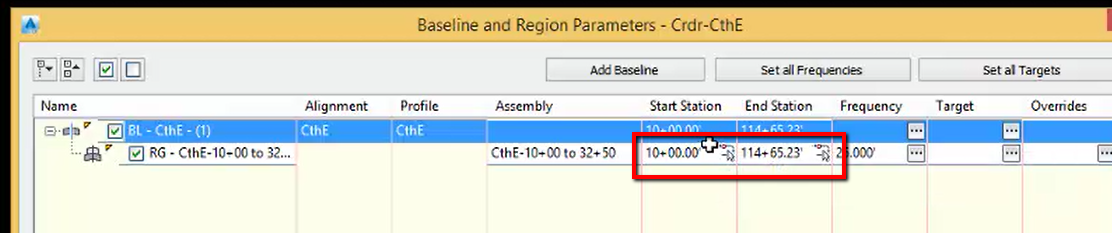
To set the station range
- Left click in the Start Station column
- Type 1000
- Left click in the End Station Column
-
Type 3250
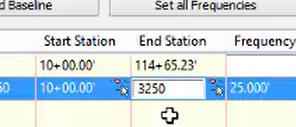
- Enter
Frequency
crdr-prprtis-02.mp4 05:32
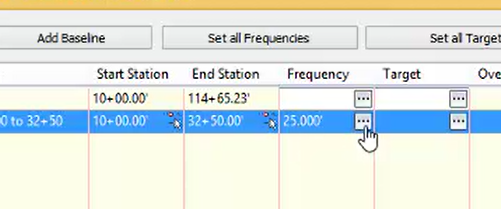
Frequency defines how often the assembly is applied along the baseline
To adjust frequency
-
Left click the ellipses in the frequency column
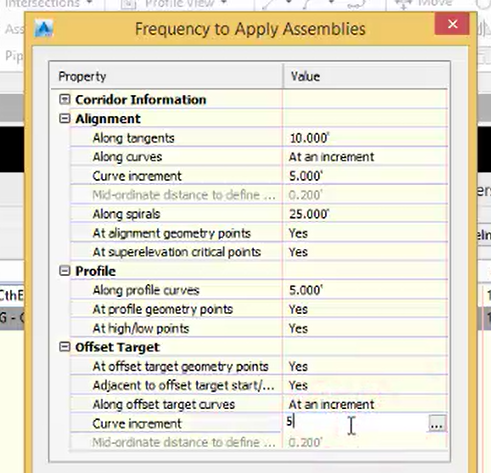
- Adjust frequency settings
- Along tangents 10
- Along curves At an incriment
- Curve increment 5
- Along spirals 25
- At alignment geometry points Yes
- At superelevation critical points Yes
- Along profile curves 5
- At profile geometry points Yes
- At high/low points Yes
- At offset target geometry points Yes
- Adjacent to offset target start/stop Yes
- Along offset target curves At an increment
Curve increment 5
- Add Additional stationing
-
Left click Plus sign
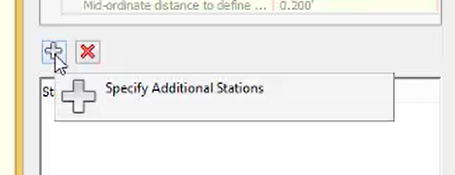
- Type 1717.14
- Enter
- OK