Adding civil object tables
Last updated: 2026-01-06
Total video time: 6:38
 Point table example
Exercise files: pln-prod-basc-add-tabl-data-c3d18.zip
Start with 01-pln-prod-basc-group-12.dwg
Need to first create labels for objects to populate tables.
Labels are then turned into tags to populate table rows.
Annotate tab > Labels & Tables panel > Add Point Table
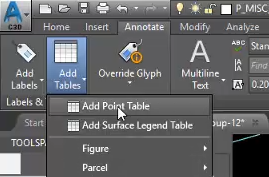
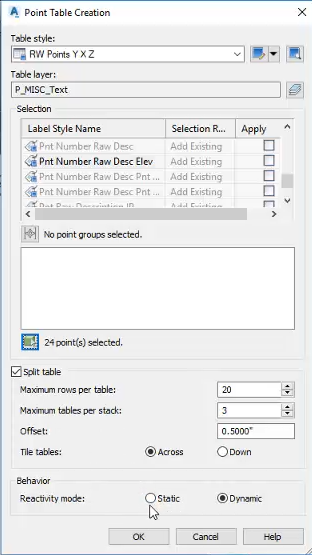
Table style: RW Points Y X Z
Points can be selected by:
- Active style
- Point group
- Graphically in modelspace
All tables have split logic and reactivity behavior.
Alignment table example
pln-prod-basc-add-tabl-02.mp4 3:12
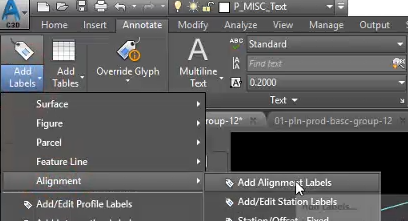
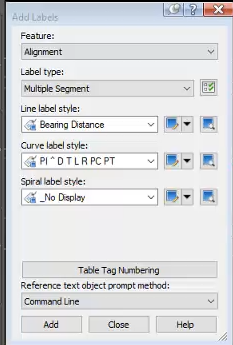
Annotate tab > Labels & Tables panel > Add Labels > Alignment > Add Alignment Labels
Add labels
Feature: Alignment
Label type: Multiple Segment
Line label style: Bearing Distance
Curve label style: PI ^ D T L R PC PT
Ok
Annotate tab > Labels & Tables panel > Add Tables > Alignment > Add Segment
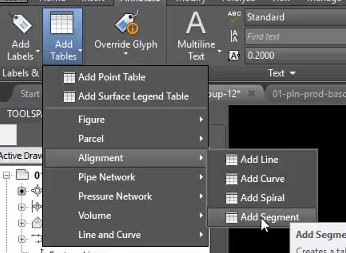
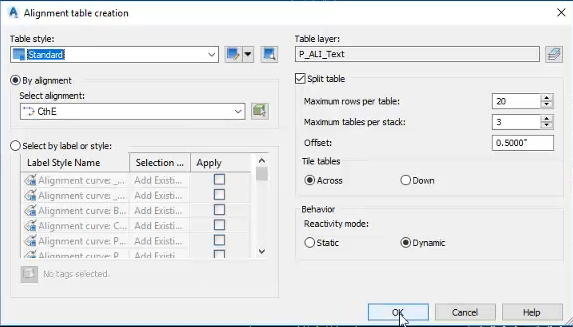
Table style: Standard
By alignment: CthE
OK
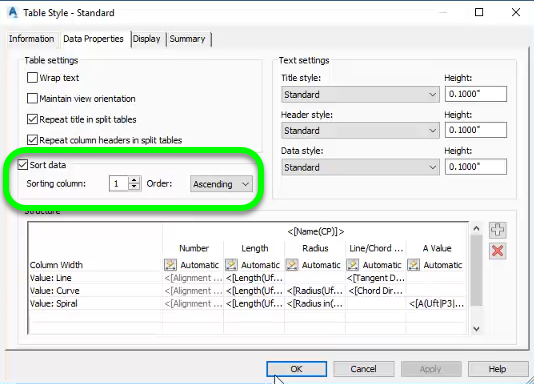
Tables can be sorted by editing the style and selecting a sorting column.