Pipe network sump adjust
Last updated: 2026-01-06
Total video time: 03:20
 Pipe network sump adjust
pipe-ntwrk-smp-adjst.mp4 03:20
Overview
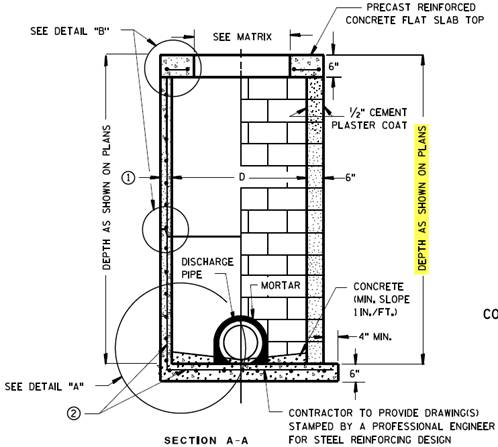
Civil 3D does not account for the pipe wall thickness when connecting to a structure without a sump. It sets the structure sump elevation to the flow line elevation of the lowest pipe. The pipe wall then falls within the structure floor. This results in an incorrect structure depth calculation. It should be setting the structure sump elevation to the bottom of the pipe wall. This image shows a typical detail for a structure with no sump. Notice that the pipe wall does not penetrate the floor of the structure.
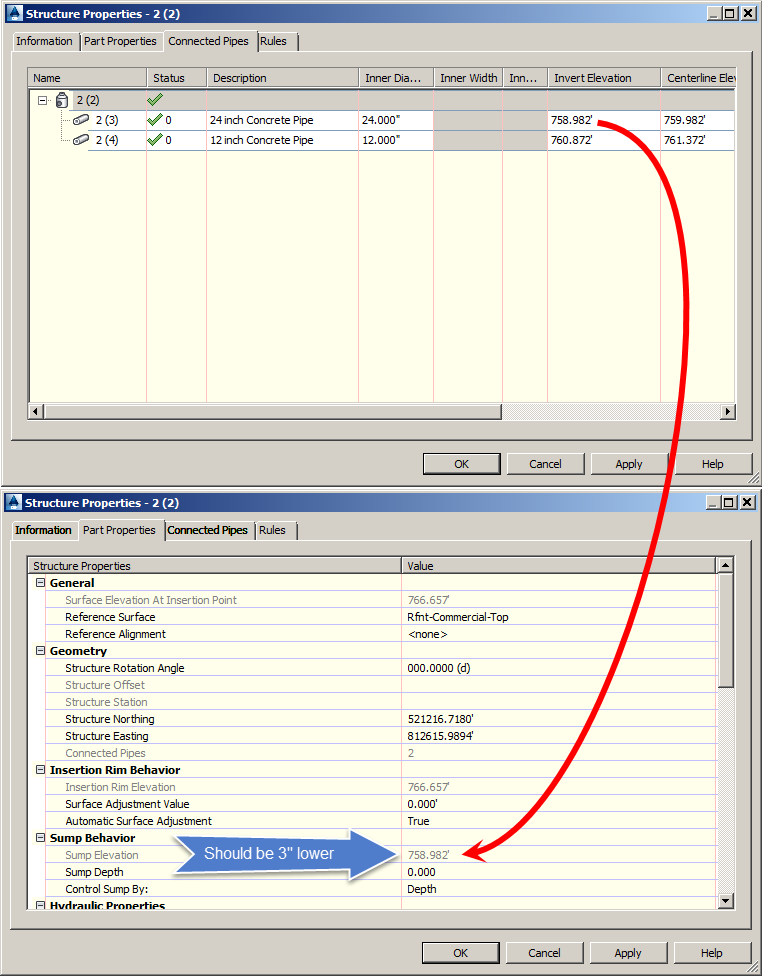
Pipe networks work fine if there is a value for sump depth, such as for catch basins, because that elevation is set based on a set distance from the flow line of the lowest pipe. The image below shows the problem in Civil 3D when the sump depth is 0.
At this time, running this utility is optional. The logic in the WisDOT storm sewer report automatically accounts for this flaw and adjusts the reported structure depth automatically. Whether or not the Pipe Network Sump Adjust utility is run, the report will be correct. The purpose of the Pipe Network Sump Adjust utility is to create a spatially accurate 3D pipe network, such as for clash detection.
Using the Pipe Network Sump Adjust utility
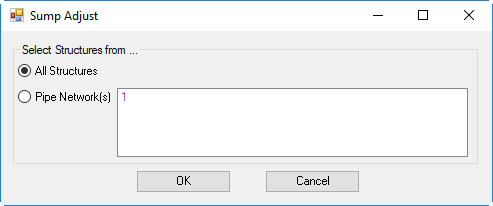
WisDOT Civil 3D 2016 - Pipe Network Sump Adjust Dialog
Ribbon > WisDOT Design tab > Design Utilities panel > Pipe Network Sump Adjust
WisDOT Civil 3D 2018 - Pipe Network Sump Adjust Palette
Ribbon > WisDOT Design tab > Pipe Network Utilities panel > Pipe Network Sump Adjust
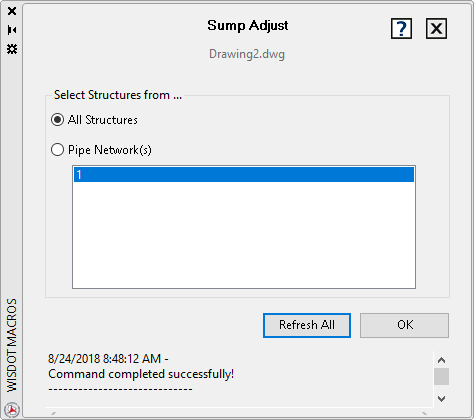
- Select structures from All Structures or Pipe Network(s).
- Click Refresh All to see a current list of pipe networks available (if choosing that option).Note: "Refresh All" button available in Civil 3D 2018 only.
- Select Pipe Network(s) from list (if choosing that option).
- Click OK to adjust sump depths.
The utility can also be accessed from the command line: SUMPADJUST